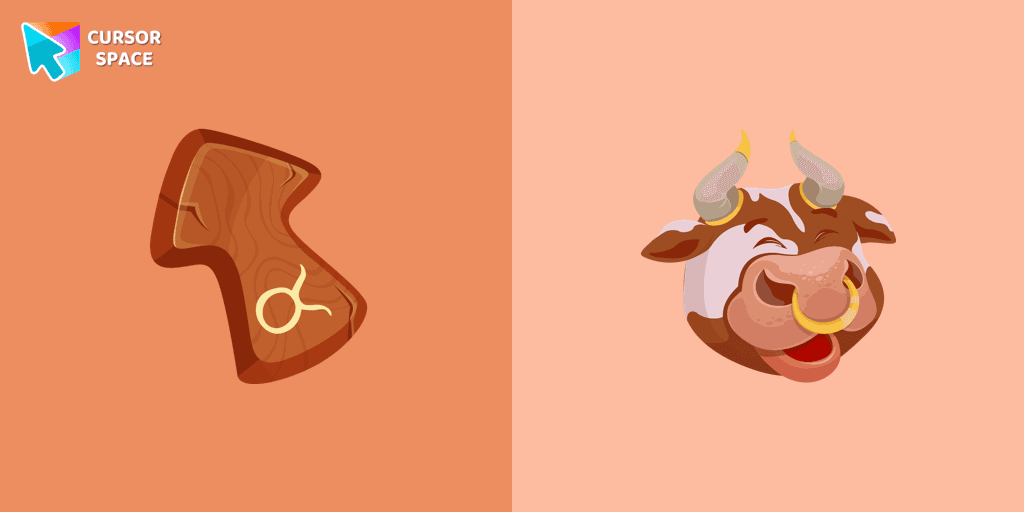
Taurus Zodiac Sign Cursor

Taurus Zodiac Sign cursor cursor pack
Preview Taurus Zodiac Sign cursor custom cursor pack
Taurus Zodiac Sign cursor arrow cursor
Taurus Zodiac Sign cursor pointer cursor

Description

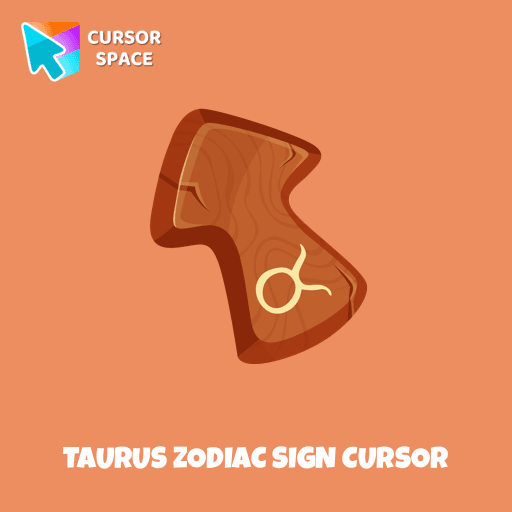
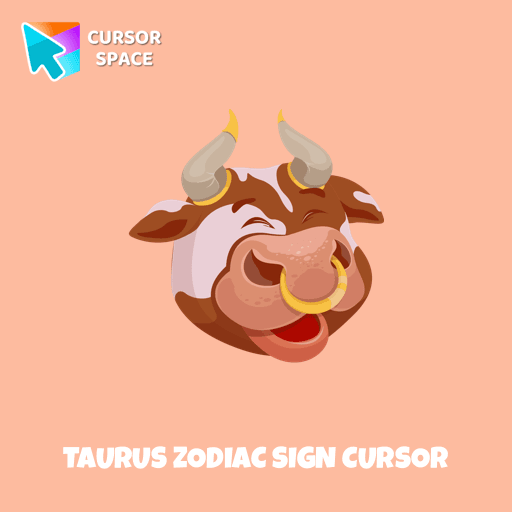
Responsive and reliable owners of the Taurus horoscope sign will love our cute Taurus custom cursor and hover for the mouse. Funny designed twelve horoscope cursors in our gorgeous Zodiac Signs custom cursors collection for Chrome.

What's included in the package

  • Default Cursor
  • Pointer (Hand)

How to install a custom cursor pack Taurus Zodiac Sign Cursor
  1. Install the Cursor Space extension for Chrome or Cursor Space for Edge in your browser.

  2. On this page, click "Add this cursor pack to the extension".

  3. Open the extension and go to the Packs tab.

  4. Find the custom cursor pack "Taurus Zodiac Sign cursor" and click it.

  5. Enjoy!

Ready to install?

Get this cursor pack and thousands of others by installing our extension. It's fast and free!

About this cursor pack

Taurus Zodiac Sign Cursor is a themed cursor pack you can add to your browser to personalize your pointer across common cursor states (default and pointer). Use it for everyday browsing, streaming, studying, or gaming-anywhere you want your cursor to match your vibe.

Instant preview

See how the cursors look before installing.

Easy install

Add the pack to the extension in a few clicks.

Works in your browser

Designed for Chrome and Edge via the extension.

FAQ

Quick answers to common questions about cursor packs, collections, and installation.

Do I need an extension?

Yes. To apply cursor packs in Chrome or Edge, install the Cursor Space extension and add this pack to it.

Which browsers are supported?

Cursor packs are designed for Chromium browsers like Chrome and Microsoft Edge.

How do I switch back to the default cursor?

Open the extension, choose another pack or disable the current one to return to your default cursor.

Popular cursors today

Custom cursor and packs - neon, anime, pixel art. Quickly add to Chrome and Microsoft Edge for free

  • TOP 1
    The Moon Texture cursor

    The Moon Texture cursor

    (173)
    Free

    Explore the wonders of the universe right from your screen with the Moon Texture custom cursor for Google Chrome designed to inspire your cosmic curiosity.

  • TOP 2
    Sea cursor

    Sea cursor

    (719)
    Free

    Introducing our unique nautical cursor for web navigation! The charming Sea cursor is a great addition to your screen as a mouse pointer.

  • TOP 3
    Game cursor

    Game cursor

    (819)
    Free

    Discover custom cursors for Chrome. From Game to Mechanical, find the perfect design to express your style and elevate your browsing.

  • Little Pointer cursor prank

    Little Pointer cursor prank

    (1.4k)
    Free

    Enjoy a fun twist on browsing with the Little Pointer custom cursor for Google Chrome. This playful custom cursor shrinks your pointer, adding a touch of surprise and humor.

  • Ichigo Kurosaki Pixel cursor

    Ichigo Kurosaki Pixel cursor

    (58)
    Free

    Ichigo Kurosaki Pixel cursor item is a pretty designed set of mouse cursors with a stylish hover.

  • Fliqpy cursor

    Fliqpy cursor

    (3.4k)
    Free

    Fliqpy custom cursor for Google Chrome brings the dark side of Happy Tree Friends to your screen, featuring his weapon as a hover pointer for a sinister touch.

  • Chewbacca cursor

    Chewbacca cursor

    (77)
    Free

    The Chewbacca custom cursor for Google Chrome brings the lovable Wookiee to your screen. Upgrade your browsing experience with this iconic design.

  • Black cursor

    Black cursor

    (69)
    Free

    Replace the standard cursor with an adorable Black one. Transform the ordinary mouse into a stunningly adorable Black cursor or download a cursor of your choice.

  • Zombie Batman cursor

    Zombie Batman cursor

    (17)
    Free

    Zombie Batman custom cursor for the mouse with the monstrous Batman hovers in our incredible DC cursors collection for Chrome.

  • Trendy cursor

    Trendy cursor

    (118)
    Free

    Explore "The Trendy Cursor" in our custom cursor collection. Enhance your default pointer with beautiful artwork for a chic, personalized browsing experience.

  • Labyrinth cursor

    Labyrinth cursor

    (446)
    Free

    Transform your screen with our unique labyrinth custom cursor, perfect for adding timeless intrigue to your journey.

  • Green Amethyst cursor

    Green Amethyst cursor

    (250)
    Free

    Upgrade your browsing with the Green Amethyst custom cursor! Elegant and unique, it adds a touch of beauty to your screen. Make your pointer shine today!

Collection hits

Installation leaders from "Zodiac Signs": free packs, neon/anime/pixel art, quick add to Chrome and Edge.

  • TOP 1
    Aquarius Zodiac Sign cursor

    Aquarius Zodiac Sign cursor

    (13)
    Free

    Independent and original owners of the Aquarius horoscope sign will love our cute Aquarius custom cursor and hover for the mouse. Funny designed twelve horoscope cursors in our gorgeous Zodiac Signs custom cursors collection for Chrome.

  • TOP 2
    Aries Zodiac Sign cursor

    Aries Zodiac Sign cursor

    (10)
    Free

    Energetic and optimistic owners of the Aries horoscope sign will love our cute Aries custom cursor and hover for the mouse.

  • TOP 3
    Gemini Zodiac Sign cursor

    Gemini Zodiac Sign cursor

    (9)
    Free

    Gentle and optimistic owners of the Gemini horoscope sign will love our cute Gemini custom cursor and hover for the mouse.

Install Cursor Space - A Collection of Custom Cursors for Chrome & Edge

Add packs instantly and unlock access to thousands of cursors: neon, anime, pixel-art, and more. Fast, safe, and free.

  • Free cursor packs
  • HD/HiDPI & animated icons
  • Quick browser installation

Cursor Space is an extension for changing your mouse cursor in Chrome and Edge browsers: themed collections, HiDPI icons, neon, animated, and pixel cursors, with quick installation.

Install Extension

To use packs with one click, you need our free browser extension. Install it and come back!